Тиша Українська

Features

A full messenger, not a proof of concept

Messages, calls, groups and several devices - and protection for when the phone ends up in someone else's hands.

What it does

A full messenger, not a proof of concept

The things used every day. Reactions, pinning, archive and labels are there too - that is the minimum, not a feature list.

Calls that hide your address

Audio and video - one to one and in groups of up to five. Through the relay by default: your IP stays yours. Quality adapts to the channel, up to 1080p.
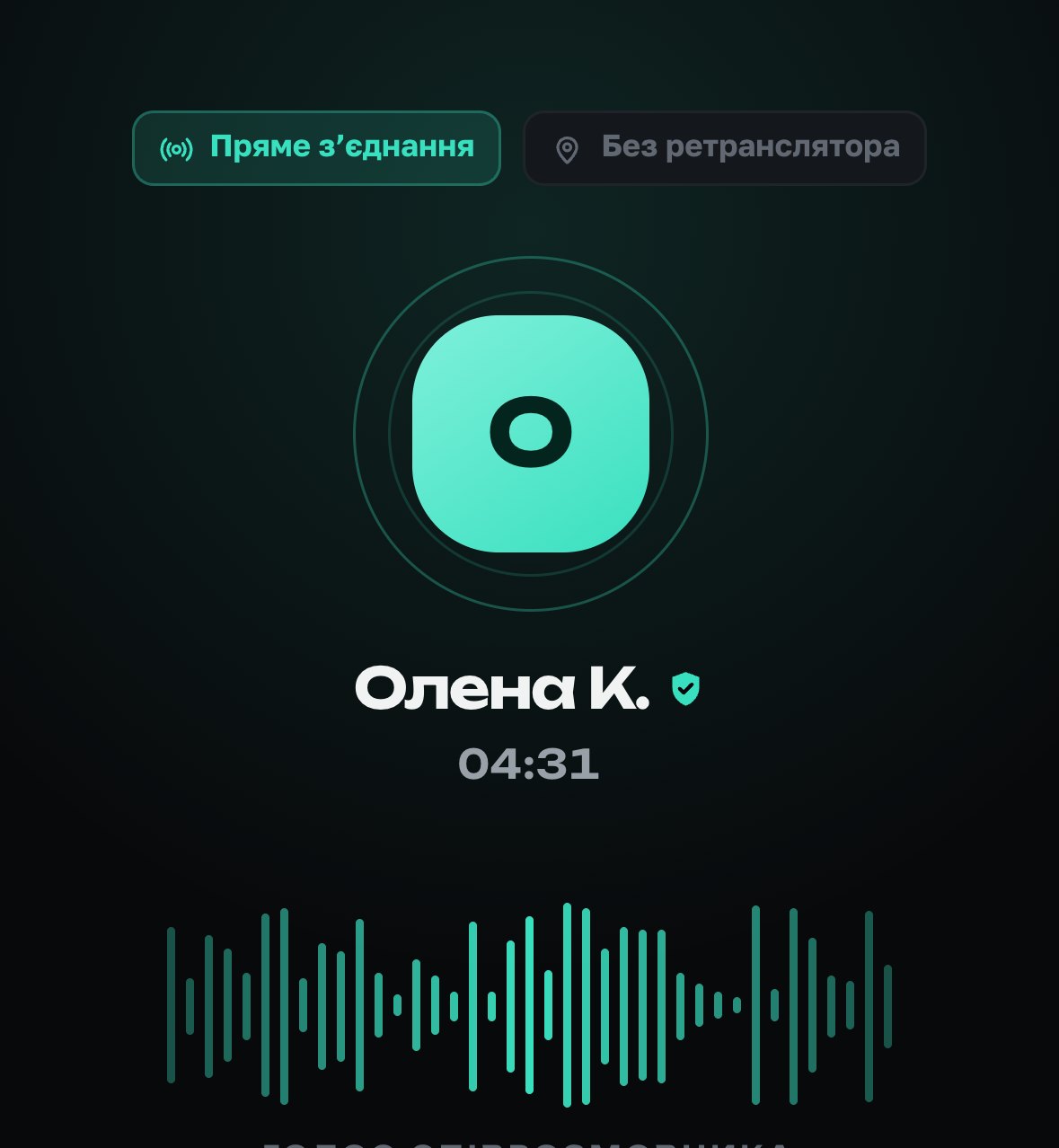
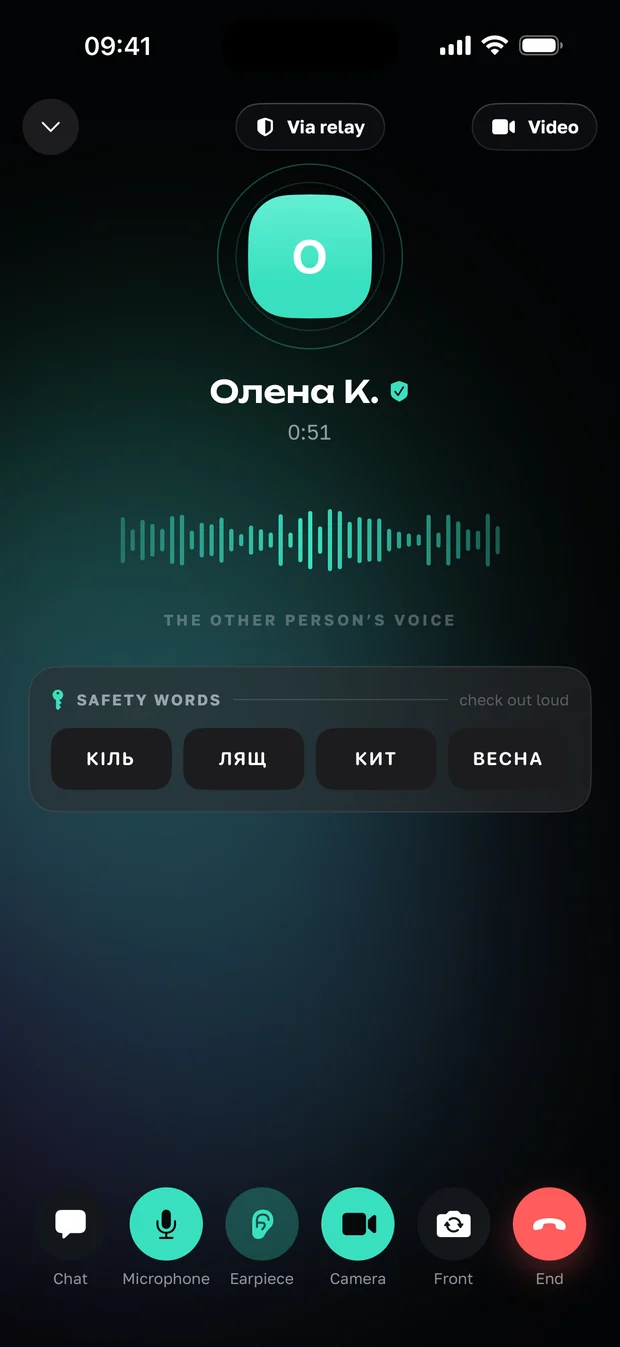
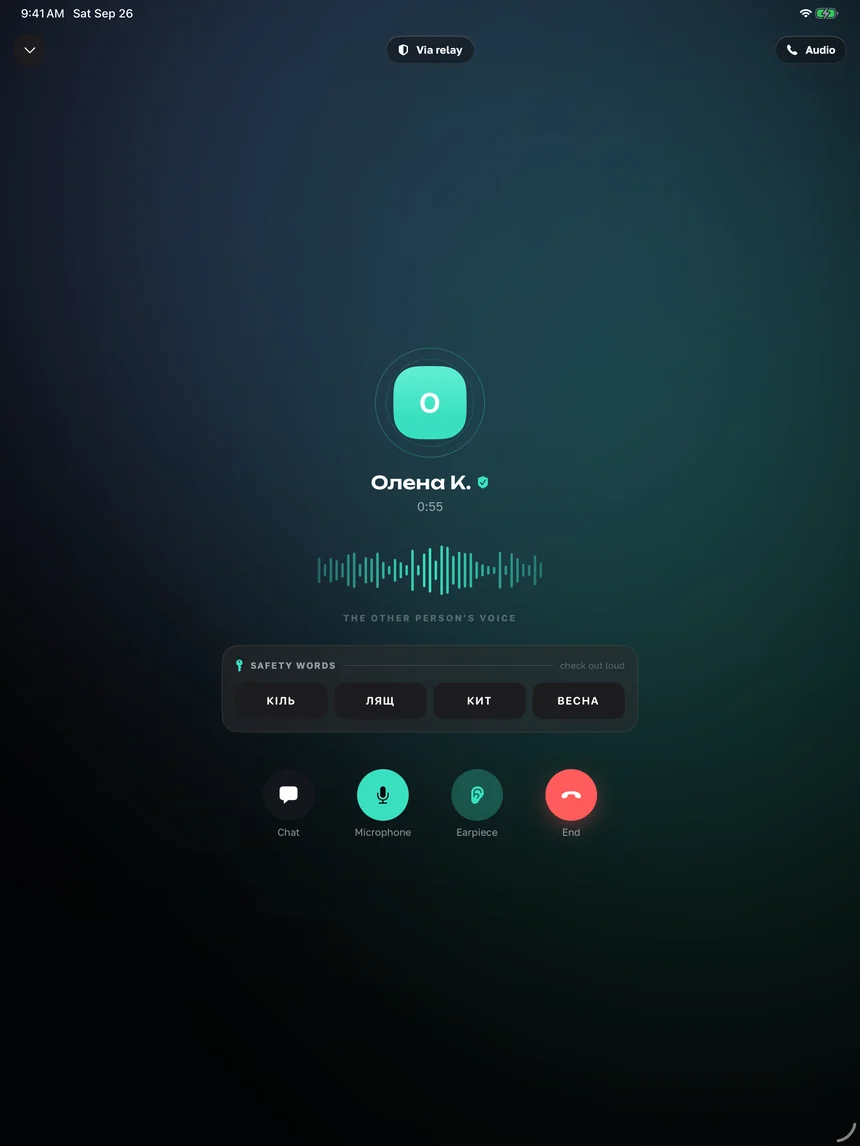
Call screen: direct connection or the relay, plus the safety words
the bar on top says which route the voice takes

Disappearing messages

From 30 seconds to four weeks. For the person who received it, the clock starts when they read it.

See you at 7
gone 30 seconds after it is read

View once

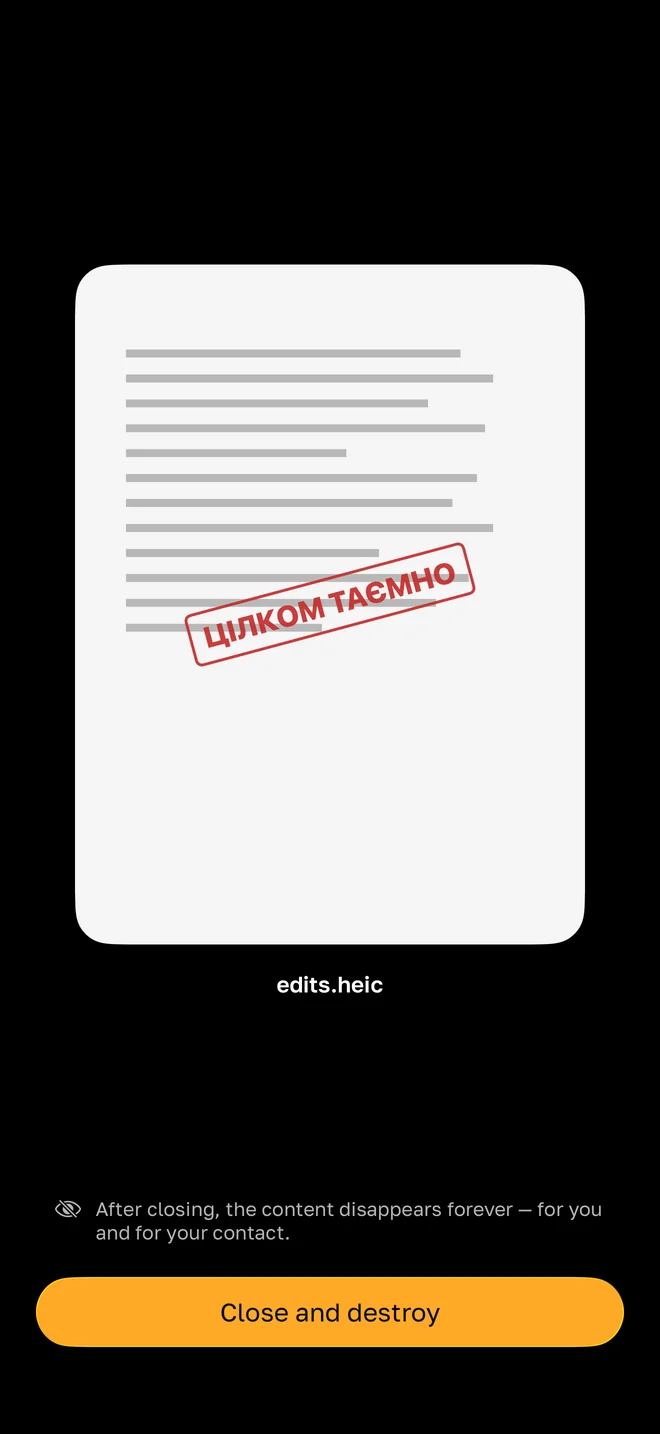
A photo, a video or a file opens once and is deleted after viewing. Both of you learn about a screenshot.

top secret
edits.heic

Once you close it the content is gone for good - for you and for them

Voice, photos, files

Attachments up to 1 GB, all media of a conversation on one screen, saving to the phone library.

0:12
contract.pdf · 1.3 MB · encrypted

Send on a schedule

Written at night, sent in the morning. Alongside: drafts, editing and delete for both.
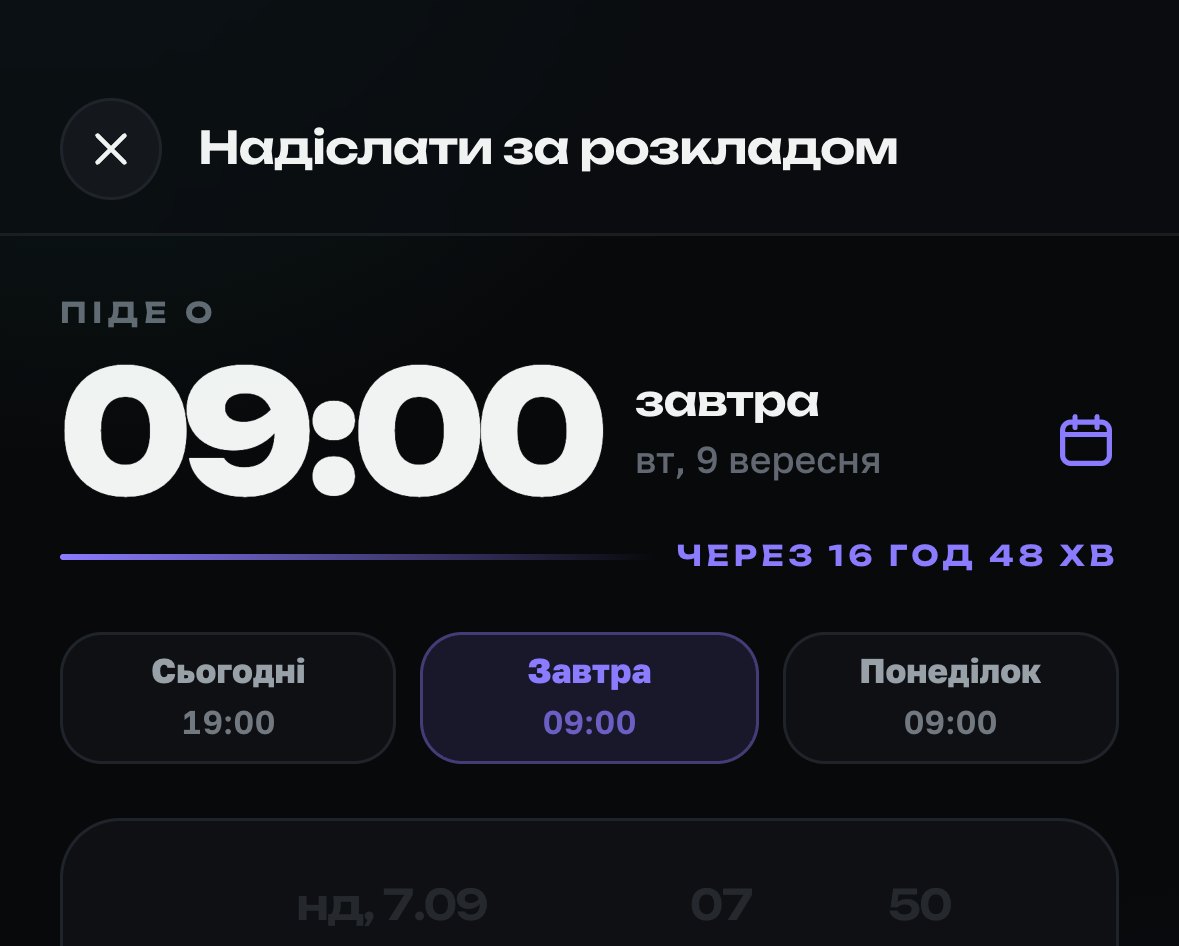
Schedule screen: goes out at 09:00 tomorrow, in 16 hours 48 minutes

Search in a conversation

One chat or all of them at once. Plus pinning, archive and contact labels.

…and on that we agreed, details tomorrow

Statuses that are mutual

Read, delivered, typing, online - all switchable, and always both ways.

Sent the document✓✓ read 17:26
turn them off and you stop seeing others

Your own server - in development

A separate server for a team or organisation - we are building it. What companies get today - here.

tysha.company.com
your server, the same keys on the phones

Screens

What it looks like

Nine screens with no drawn-in frames and no stock hands - the same thing you will see on your own iPhone.
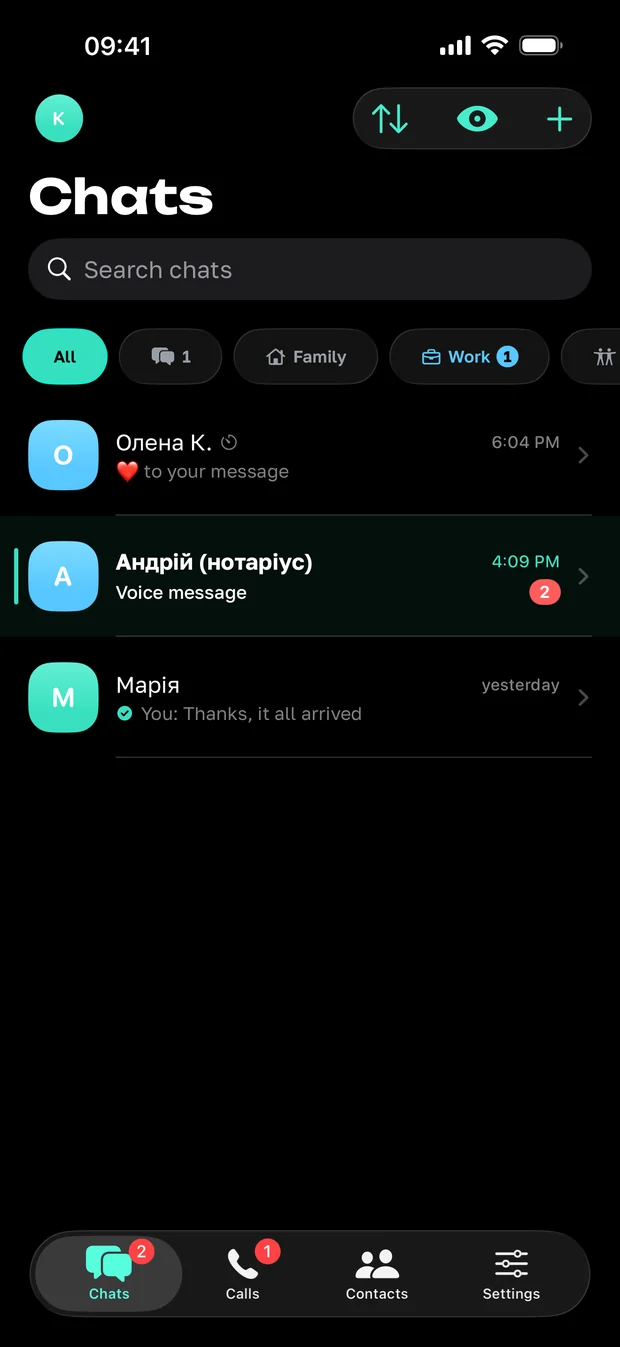
The chat list in Tysha: search, the labels Family, Work and Friends, three conversations
ChatsThe labels are your own - they never reach the server.
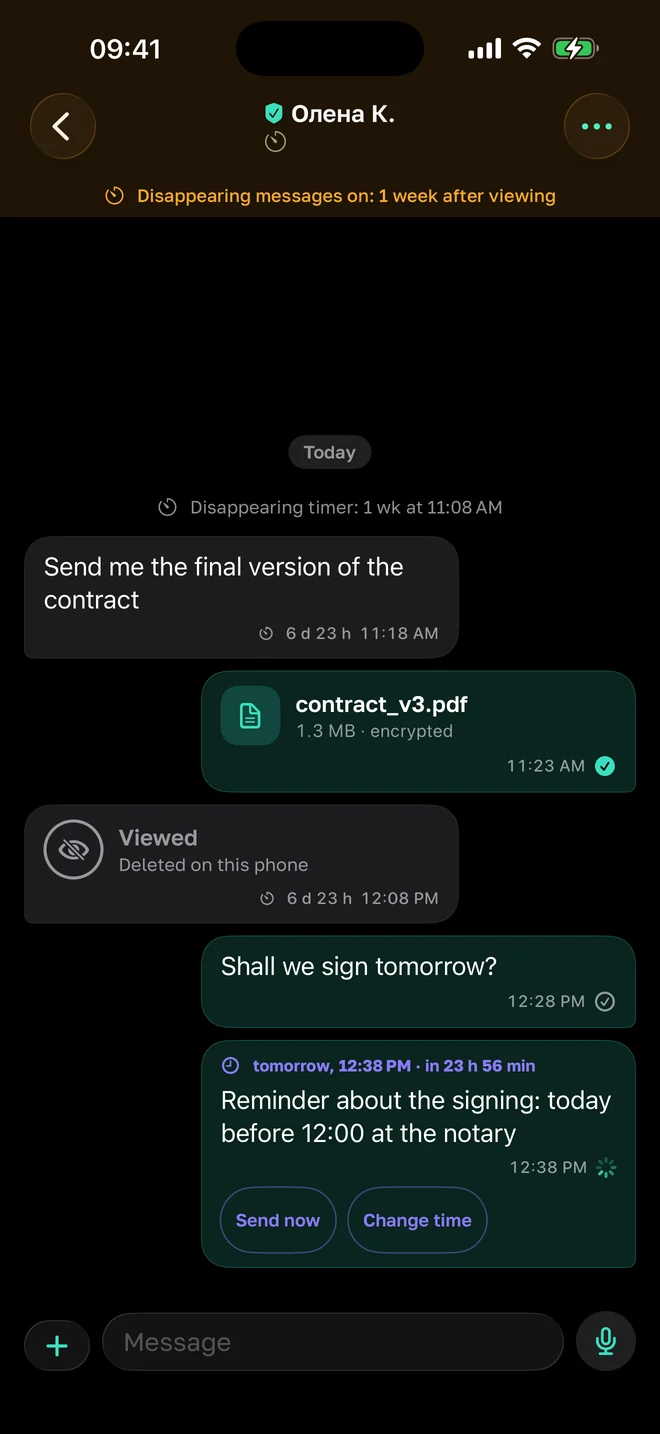
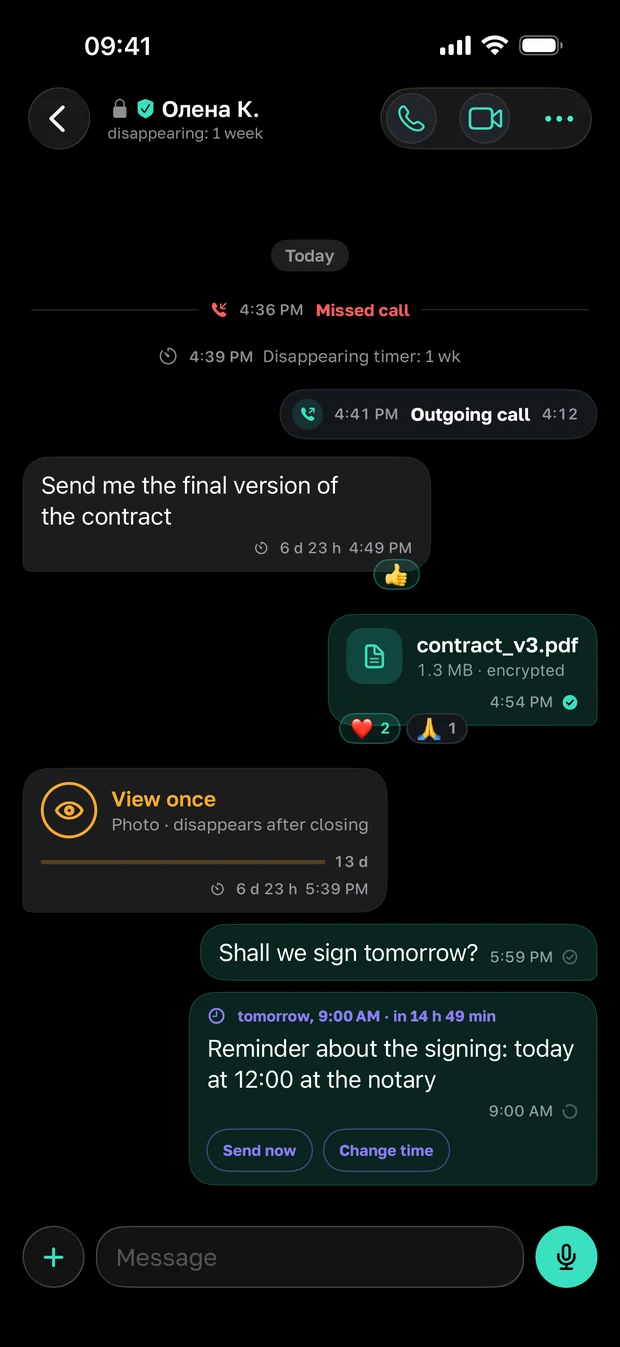
A conversation in Tysha: a document, a view-once photo and a scheduled message
A conversationA file, view once, a message sent on a schedule.
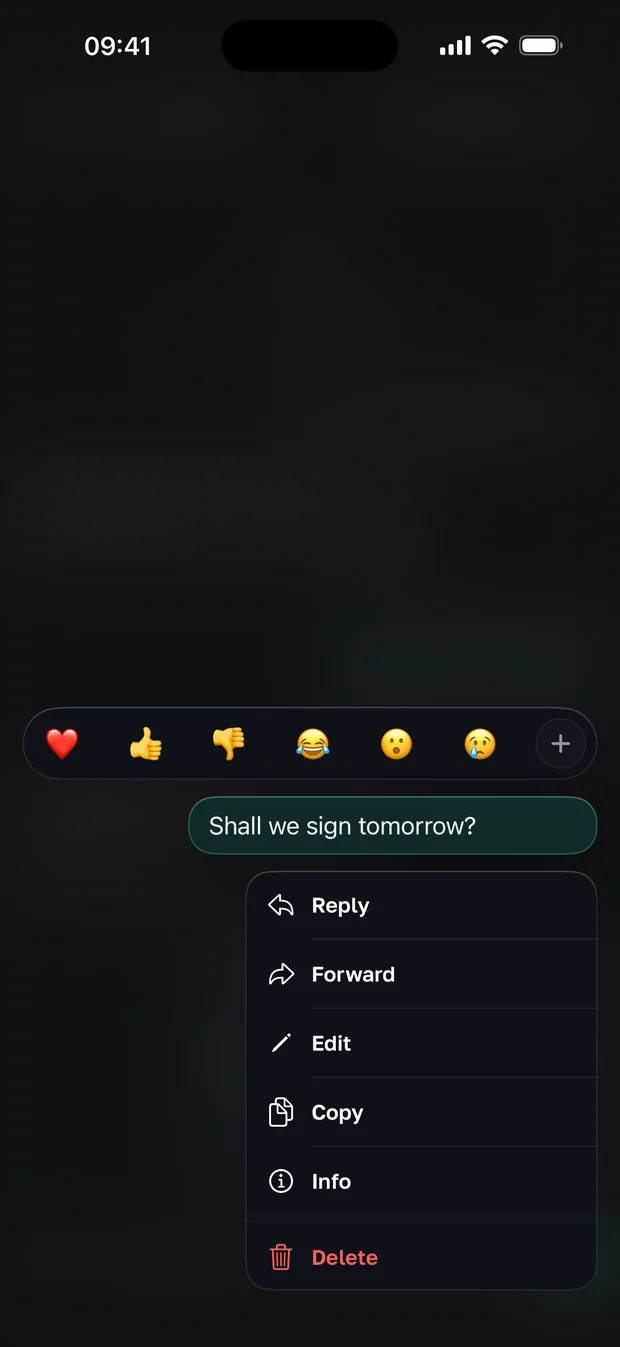
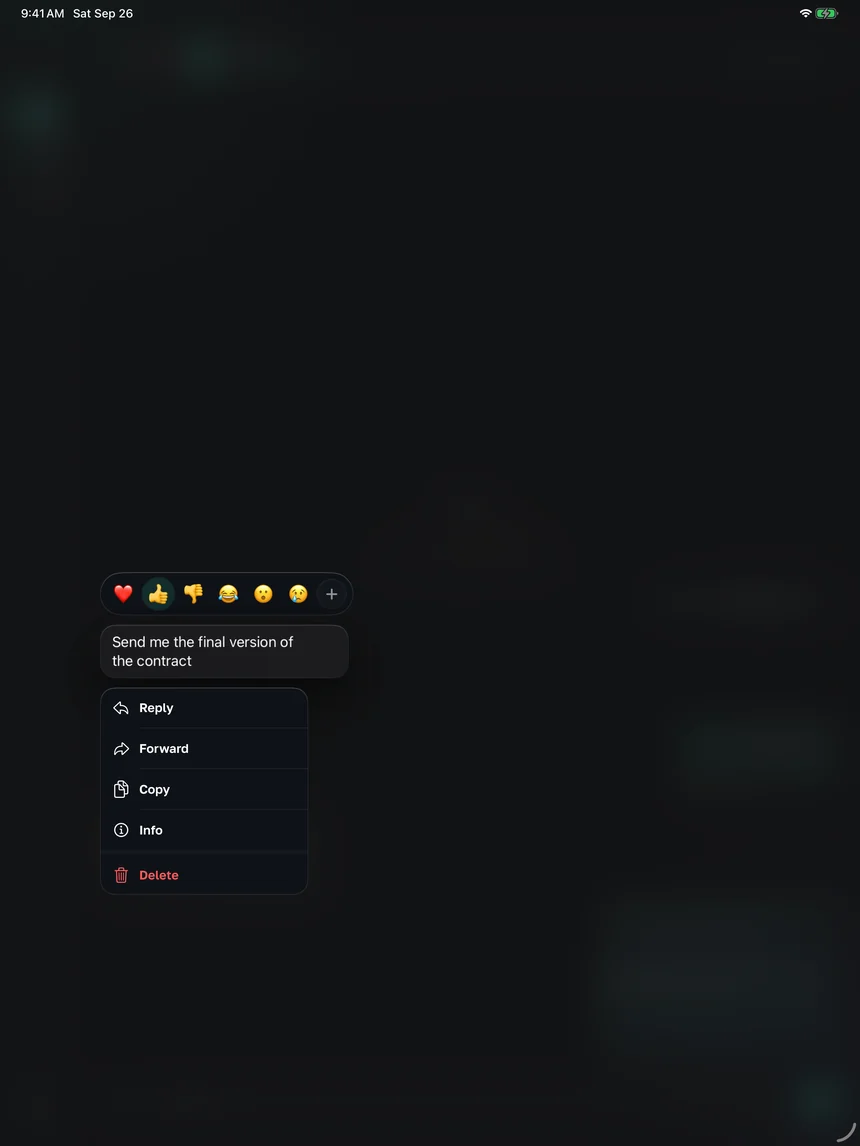
A long press on a message opens reactions and actions
The message menuReply, forward, edit, delete.
The video call screen: the relay badge, the voice wave and four safety words
A callSafety words instead of a numeric code.
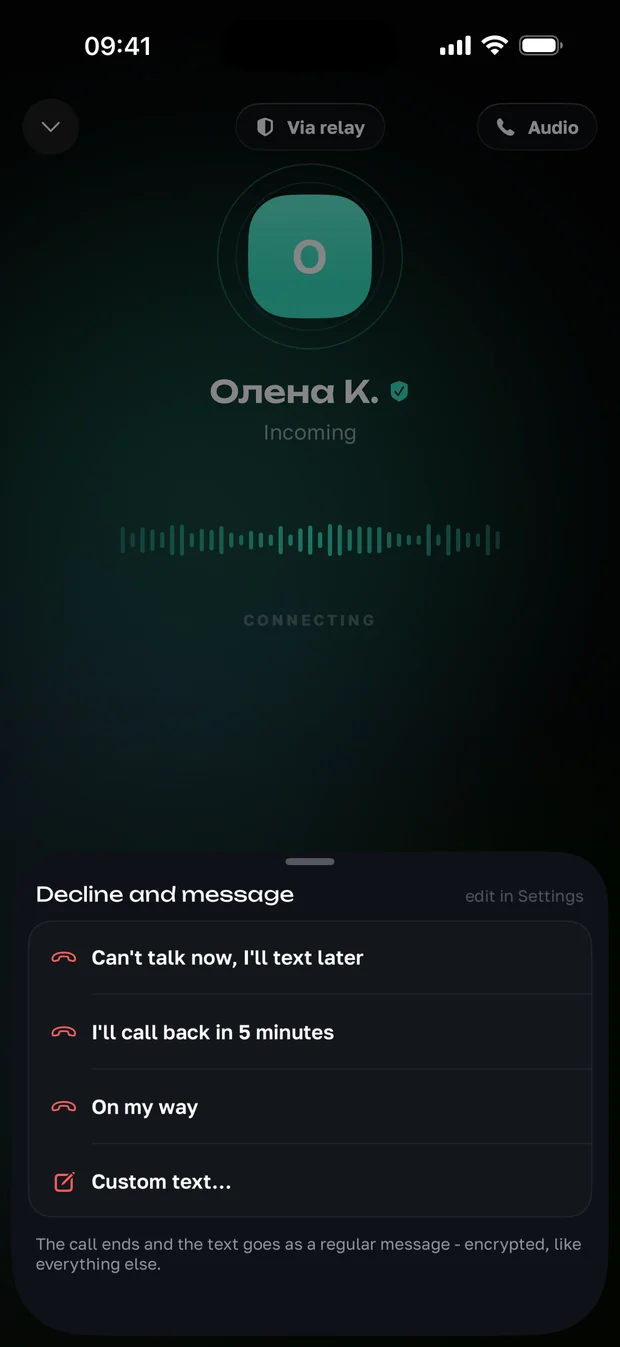
An incoming call with ready answers
A quick replyCannot talk - answer with text straight from the call.
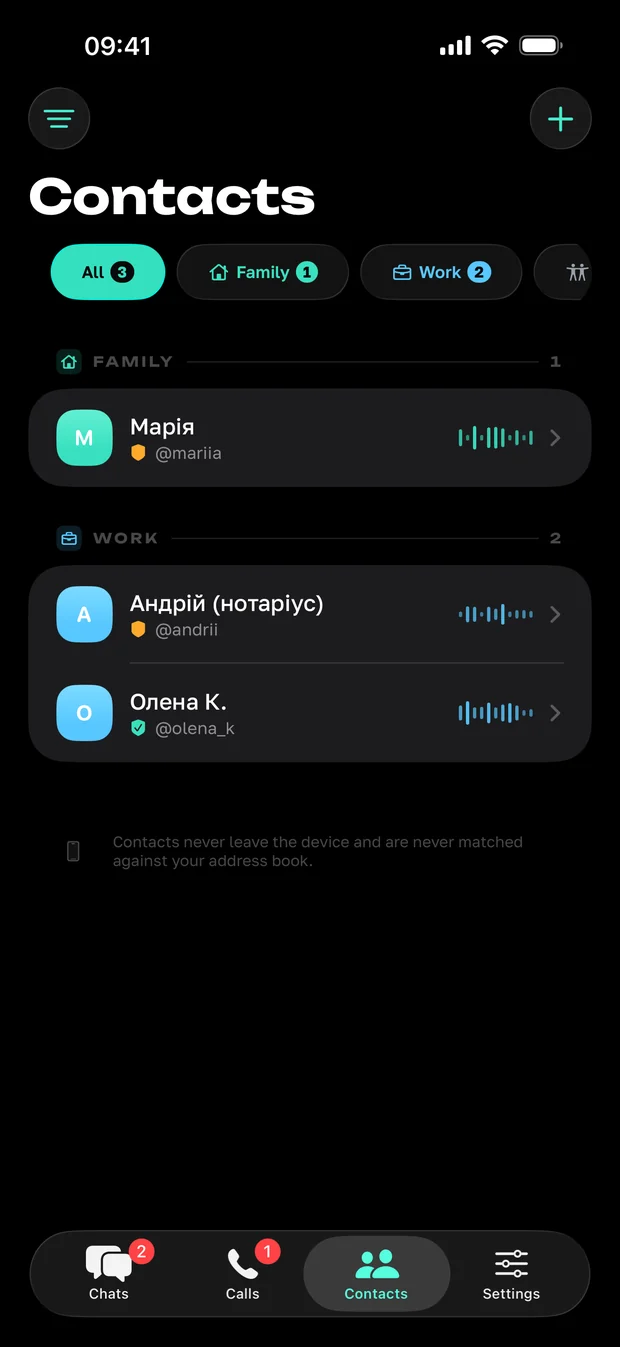
The contact list in Tysha, grouped by your own labels
ContactsOnly the people you met through a code.
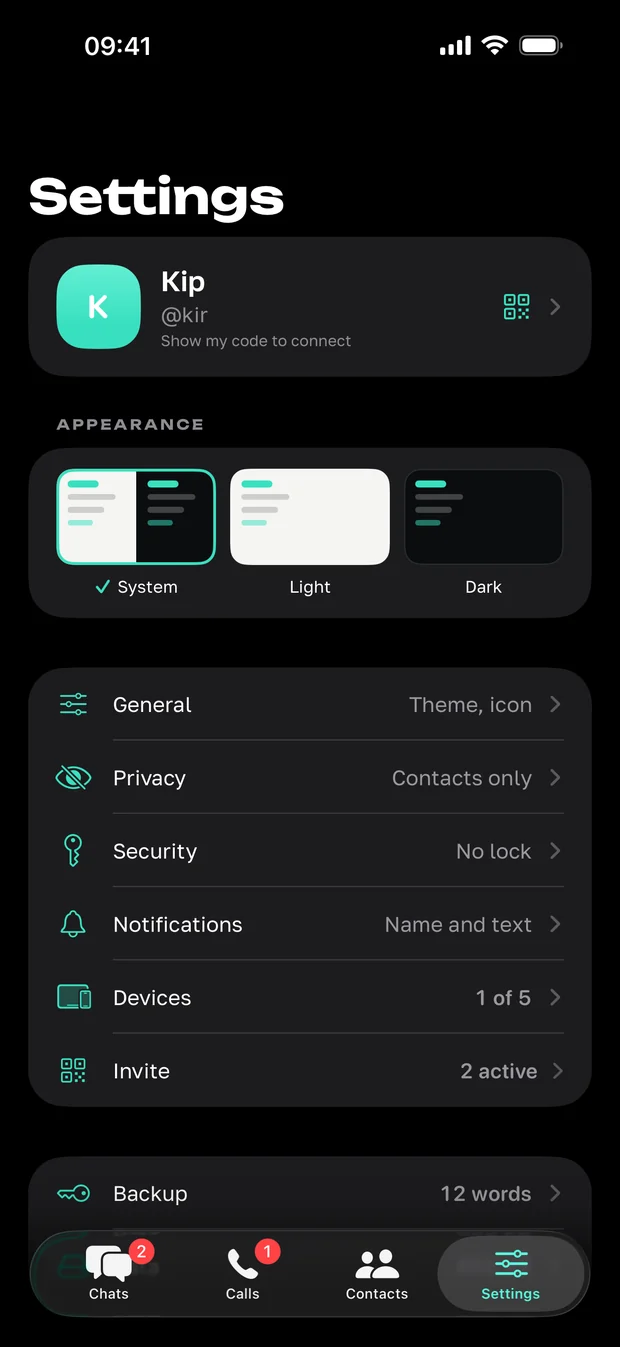
Tysha settings: appearance, privacy, security, devices 1 of 5
SettingsDevices, privacy, the 12-word backup.
An opened view-once document in Tysha with a top secret stamp
View onceYou opened the document - and it opens for the last time.
A conversation in Tysha after a view-once: the row says viewed, deleted on this phone
And it is already goneYou closed it - the row stays, the content is nowhere.

iPad

And on the tablet

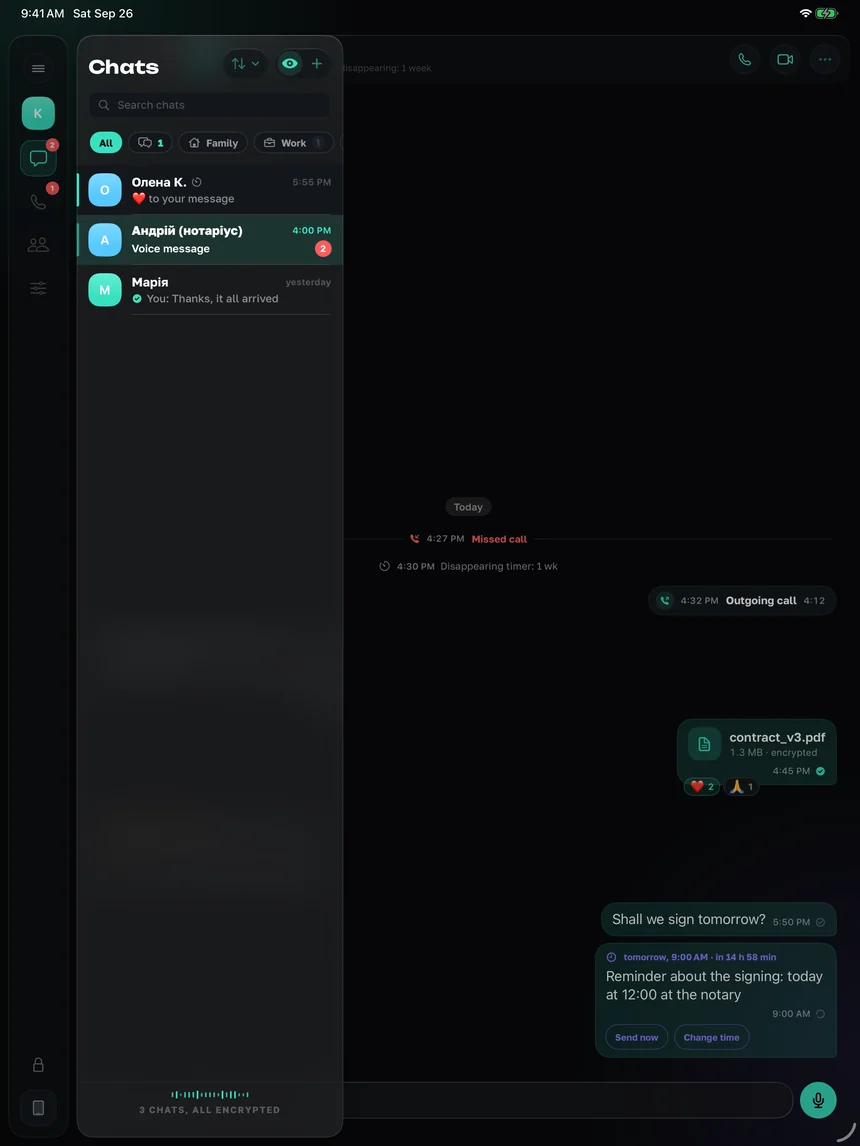
The list on the left, the conversation on the right. The build with iPad support was submitted to the App Store on 27 September and is waiting for review.
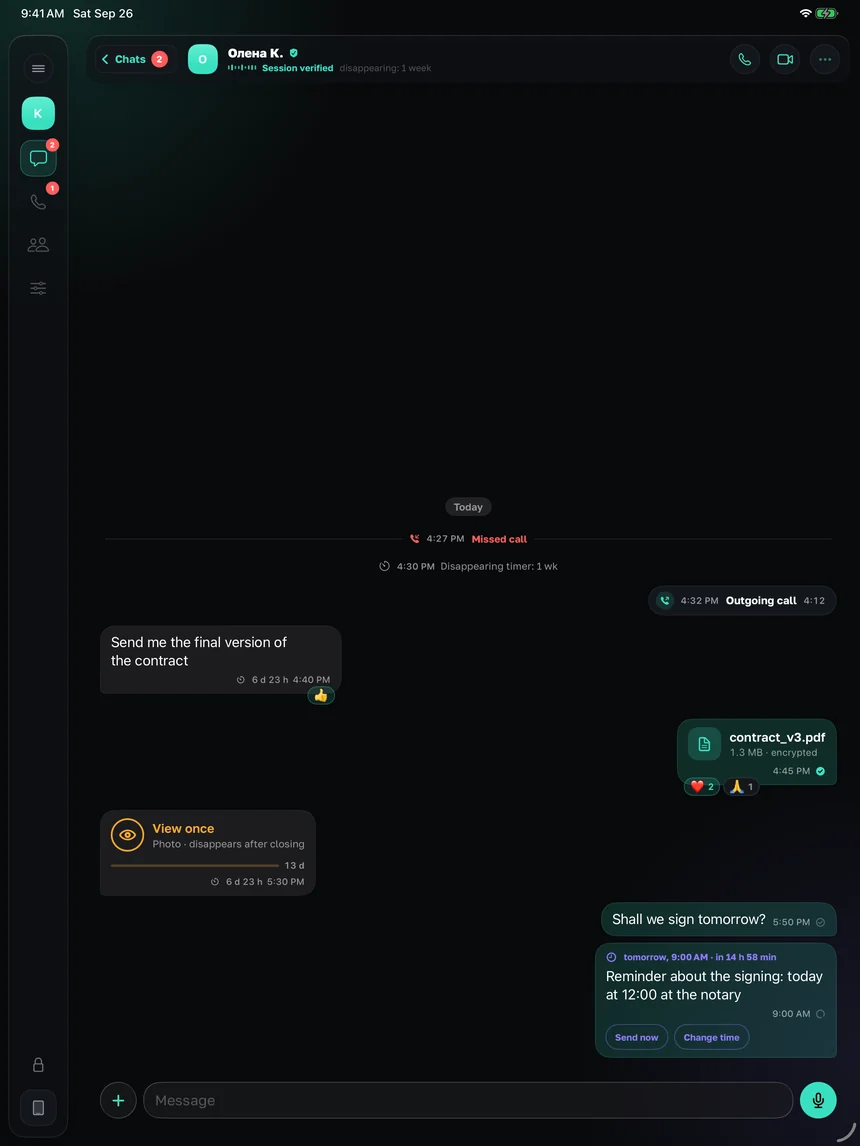
Tysha on iPad: the chat list on the left, the conversation on the right
A conversationThe list and the talk in one window.
The chat list in Tysha on iPad
ChatsThe same account as on the phone.
The message menu on iPad
The message menuThe same as on the phone.
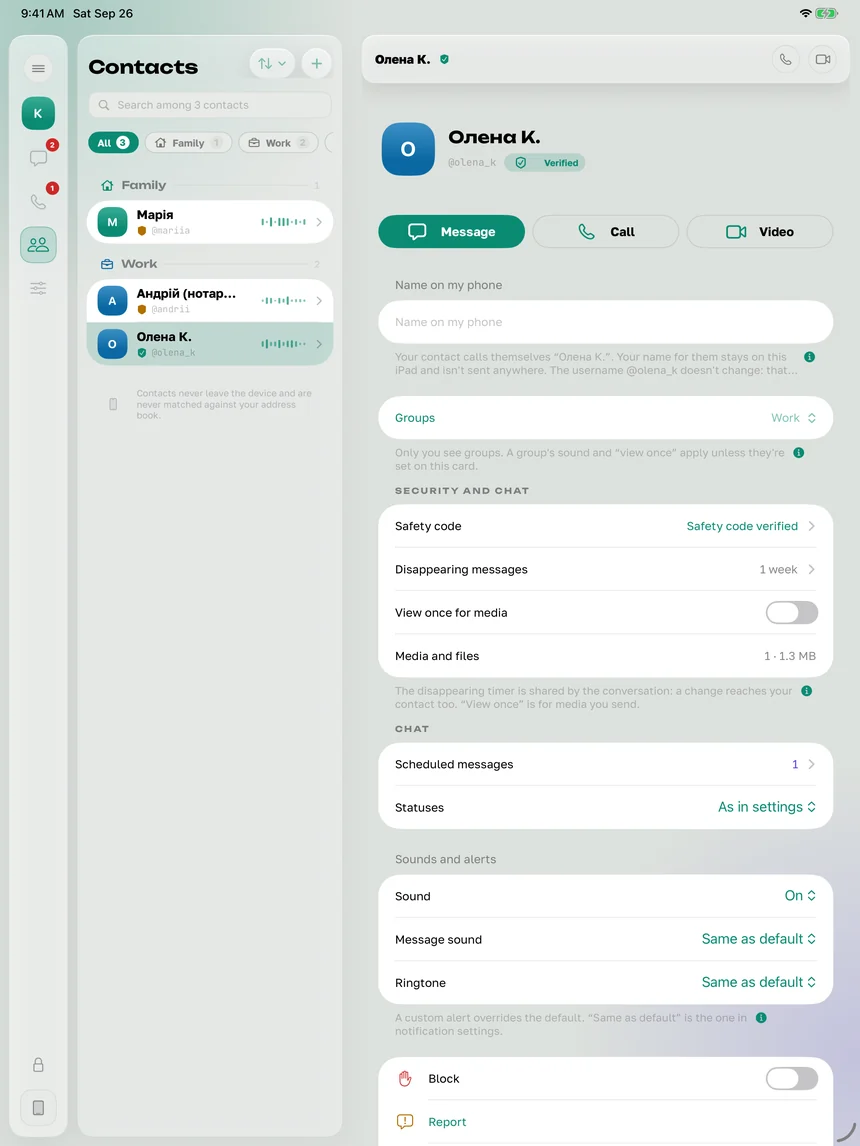
Contacts in Tysha on iPad
ContactsOnly the people you met through a code.
The call screen on iPad
A callOn the large screen.
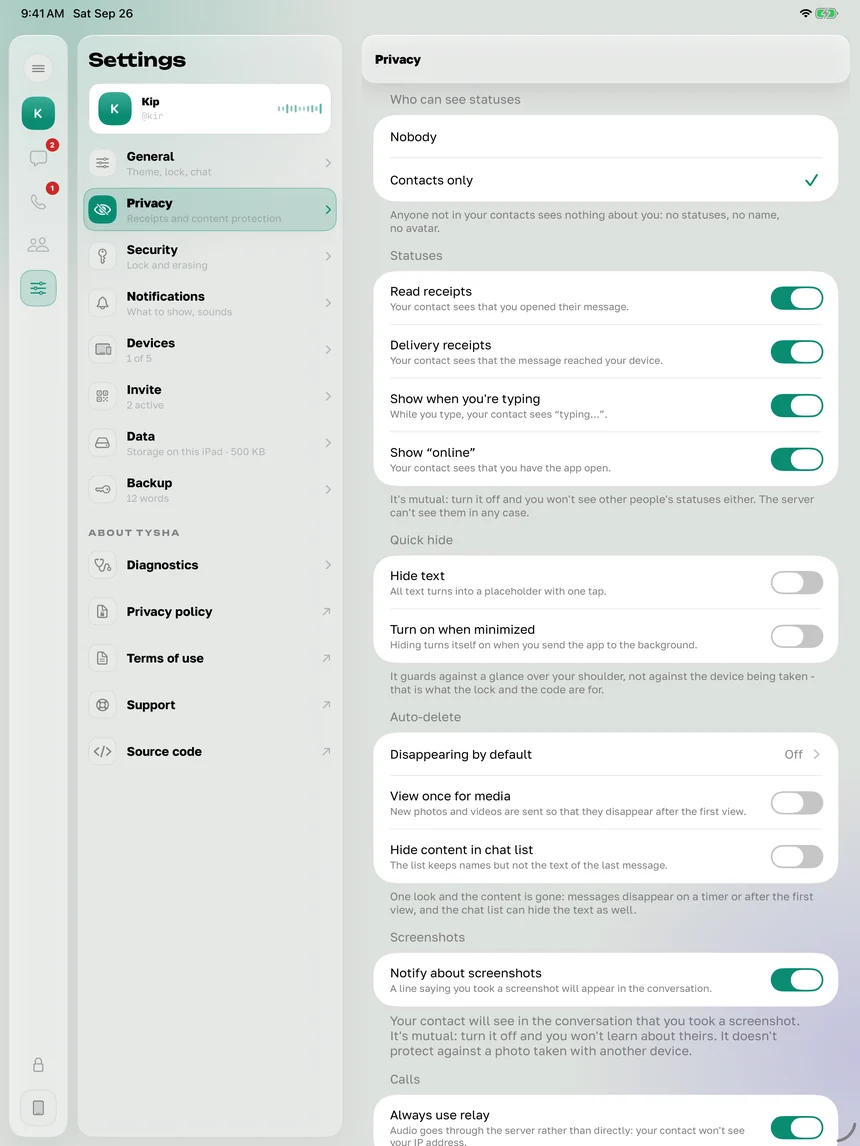
Tysha settings on iPad
SettingsDevices, privacy, the backup.

Mac

And on the computer

The Mac app 1.0.0 has been submitted to the App Store and is waiting for review. Old history does not move across, and calls stay on the iPhone in this version.
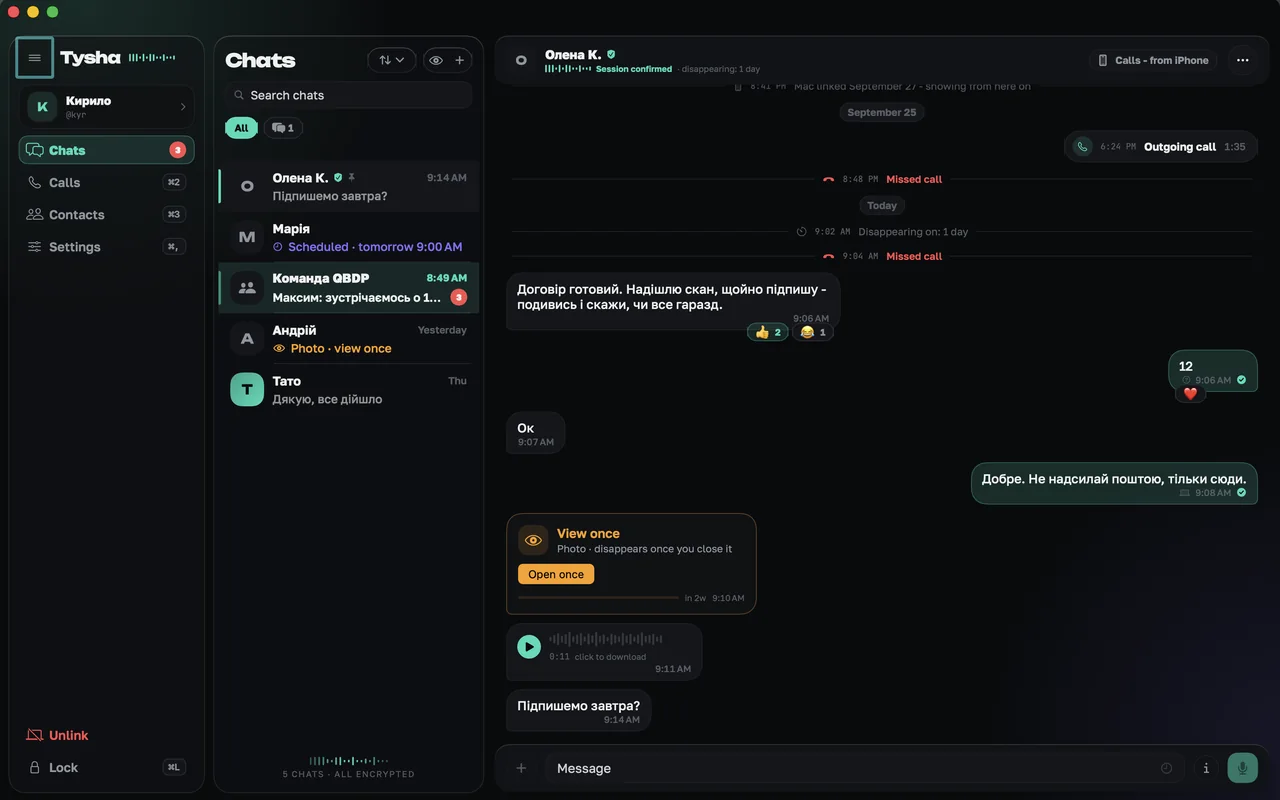
Tysha on Mac: the sidebar, the chat list and the conversation
The main windowThe chat list and the conversation side by side.
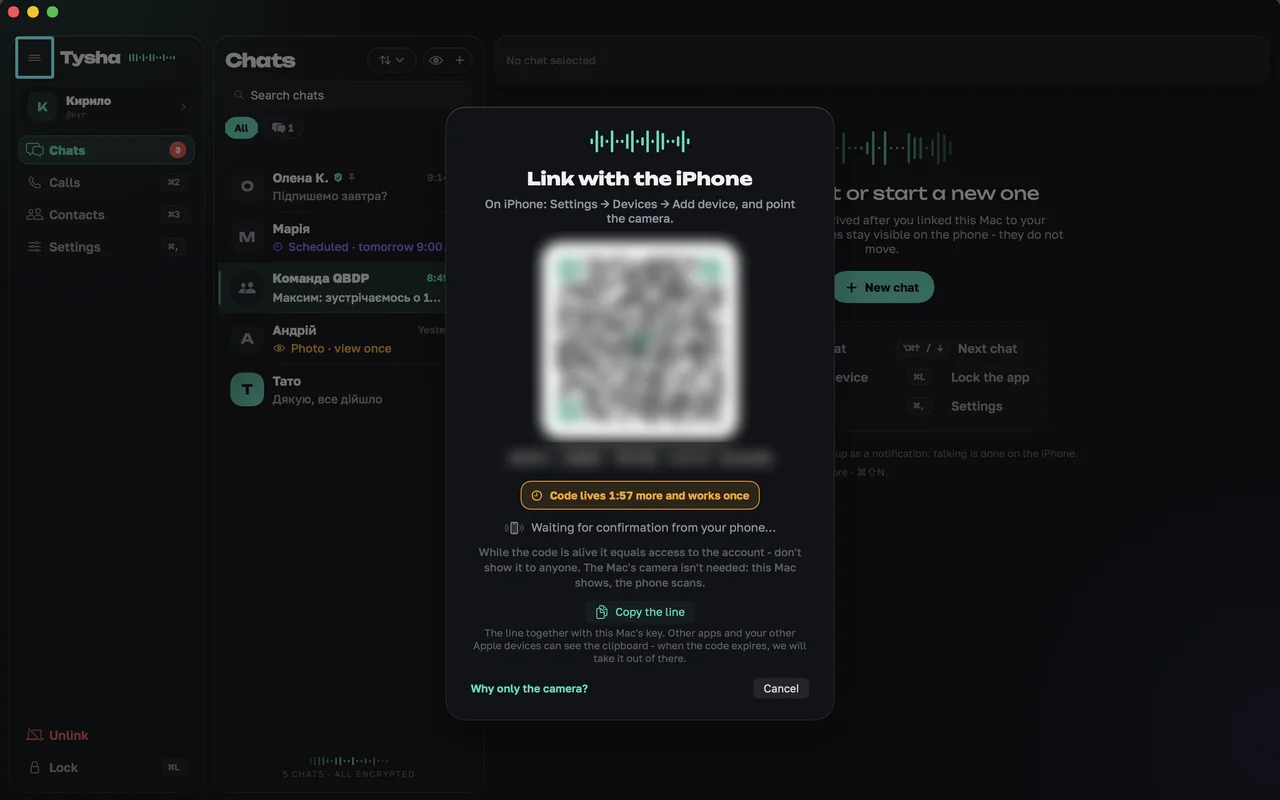
The window that pairs the Mac with an iPhone
PairingThe Mac shows a code, the phone scans and confirms it.
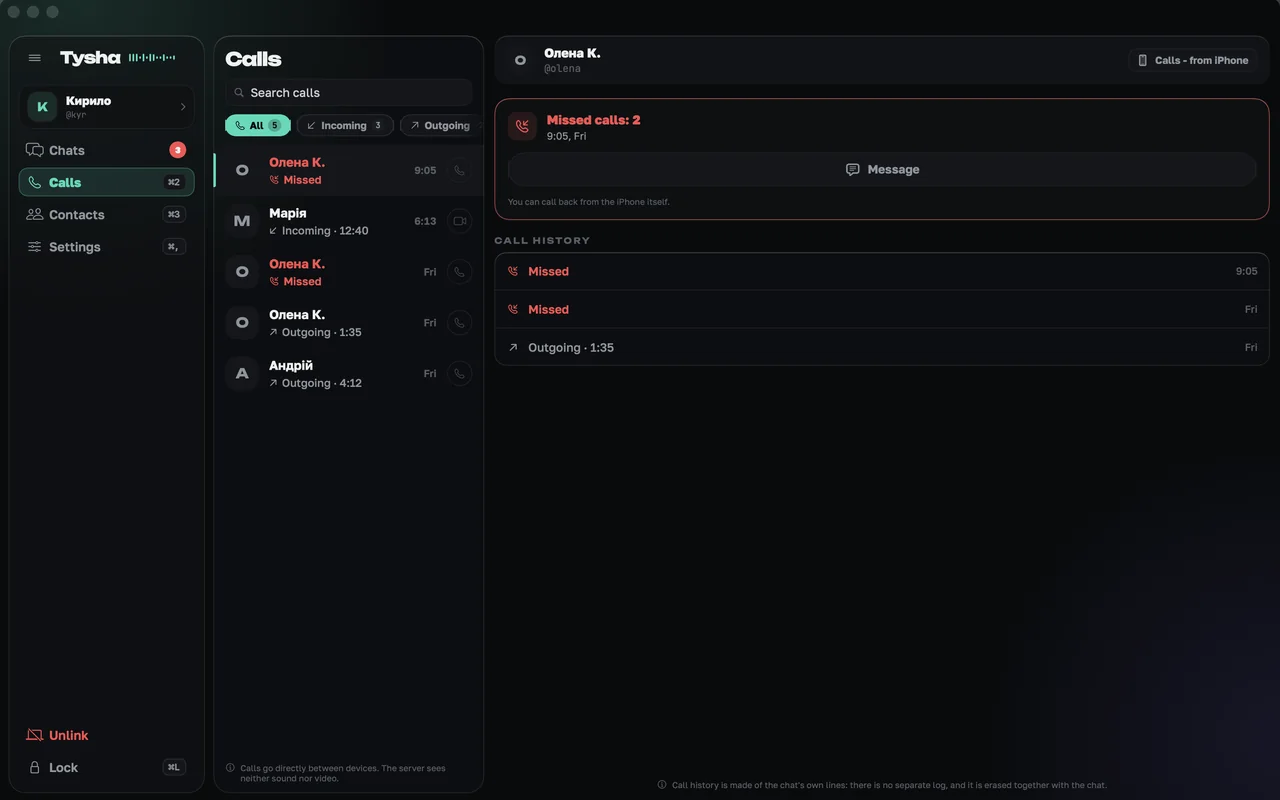
The call log in Tysha on Mac
CallsThe log is on the Mac, the call itself runs from the iPhone.
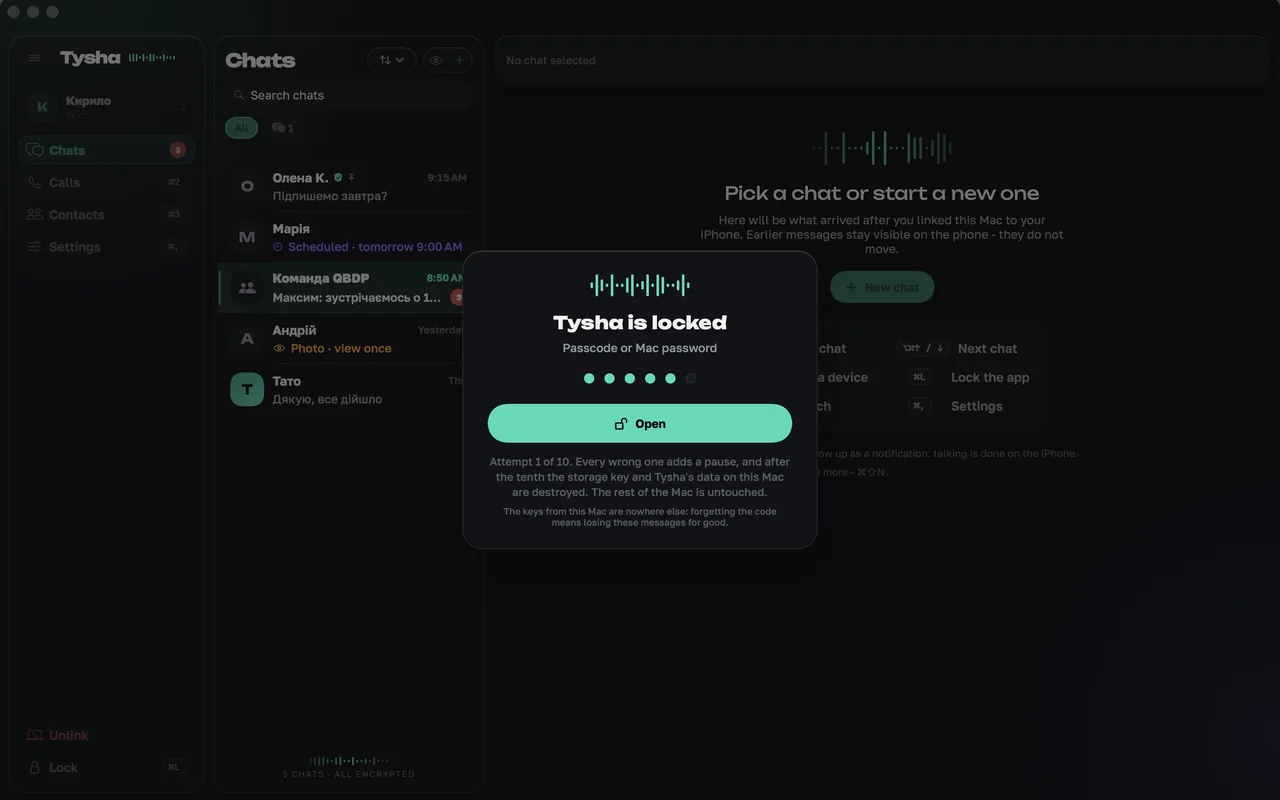
Tysha locked on Mac
The lockThe app locks separately from the system.

Safety

And if the phone is in someone else's hands

Encryption does not answer that question - it is about the road, not the device. This is what answers it.

Chats behind Face ID

The storage key lives in the Secure Enclave: it is not handed over without your face or the phone passcode - not even on an unlocked phone. Plus a lock on entry, with a choice of how soon the app locks itself.

Wipe after failed attempts

Five or ten wrong codes and the phone erases the store, the files and the keys. The counter lives outside the app.
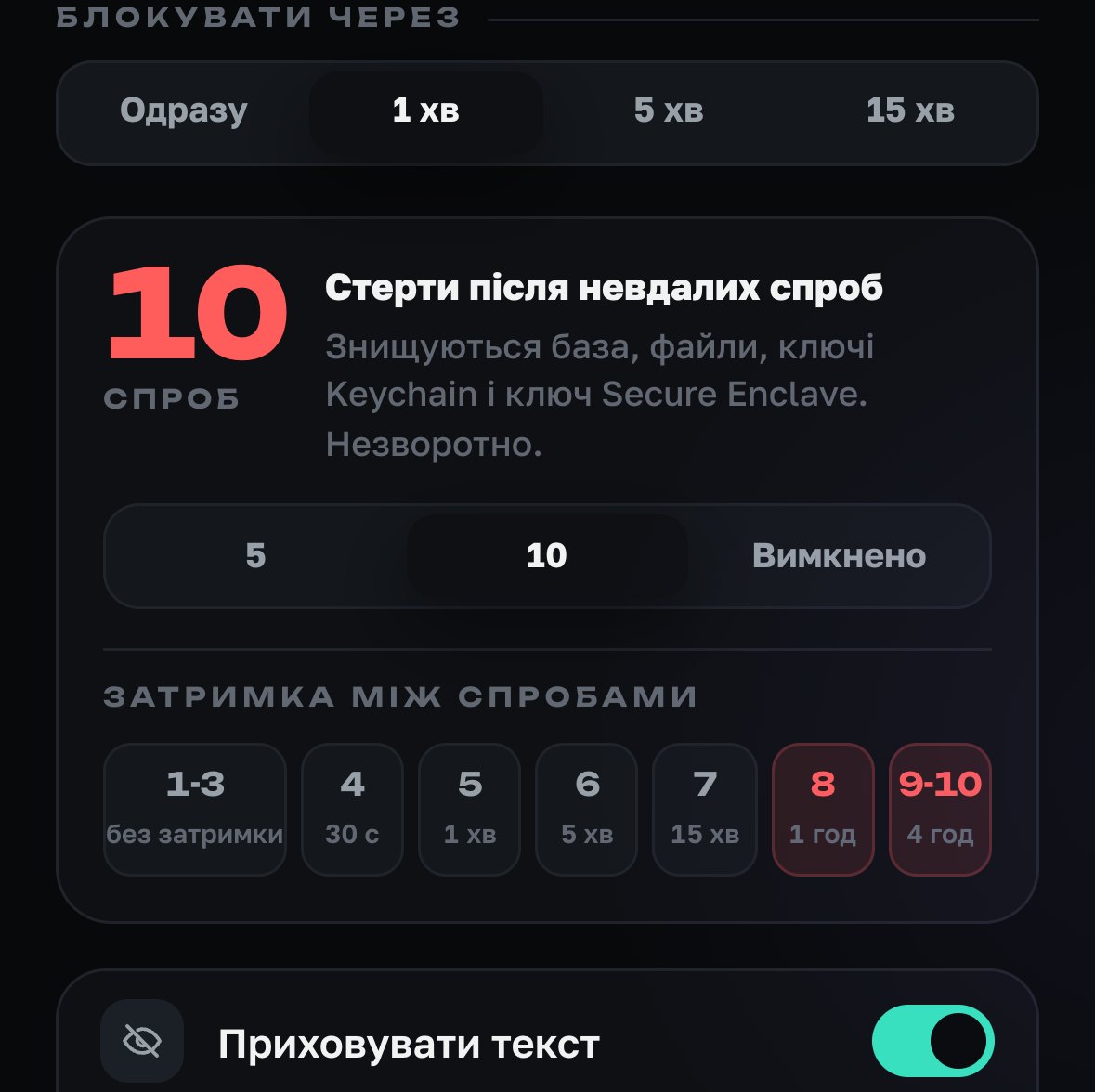
Security screen: wipe after 5 or 10 failed attempts and the delay between them
the counter lives outside the app

Text hides at a touch

Quick hiding of content - against a glance over your shoulder. In the app switcher, a cover.

Notifications without content

The server does not know the text. Name and text, name only, or nothing - your choice.
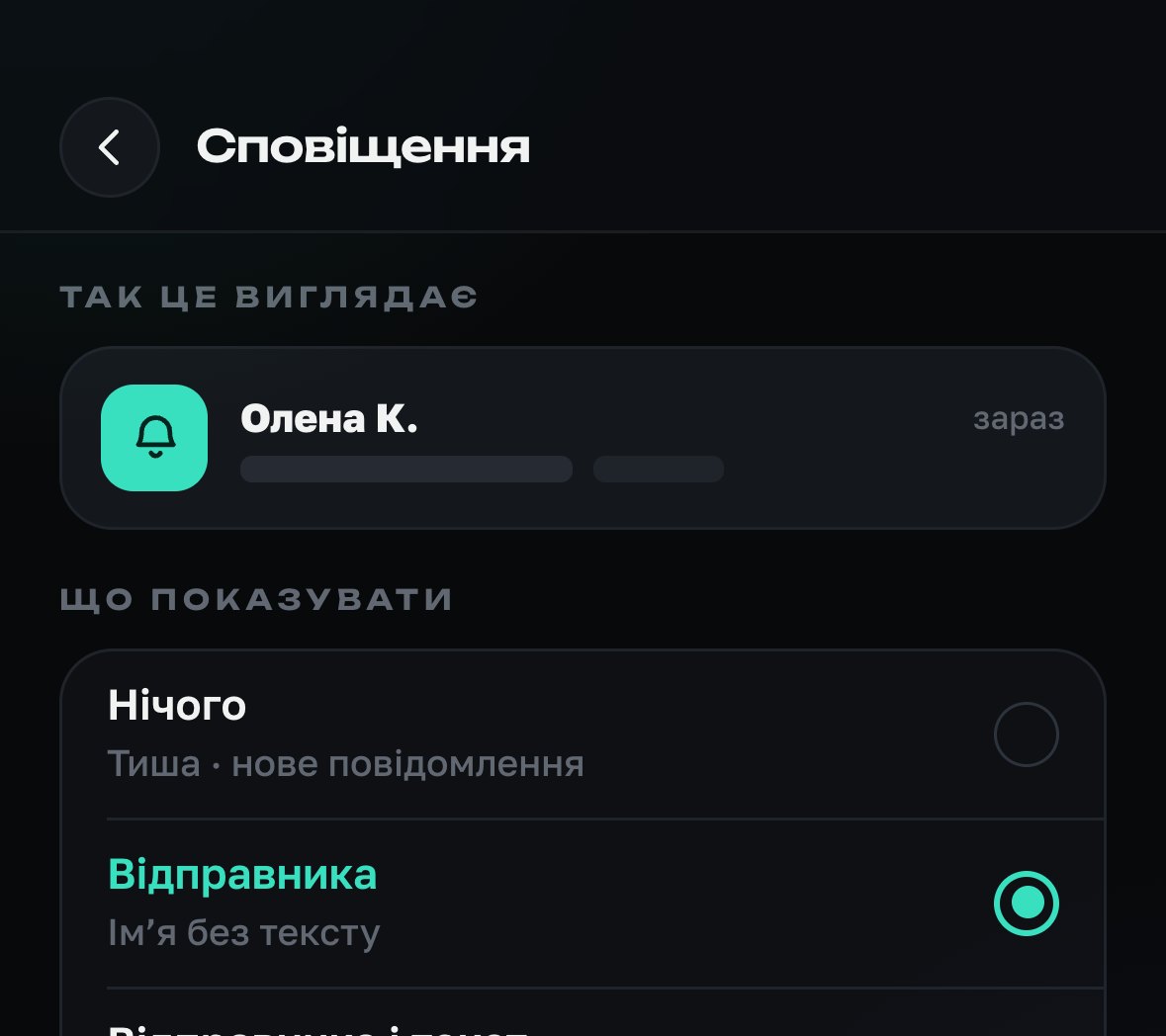
Notifications screen: preview without text, just «New message»
this is how it looks on the lock screen

Safety code and verification

Verified in person. If a key changes, sending stops until you verify again.

Screenshots are visible to both

The one who took it and the one who was captured both learn about it. Almost nobody else does this.

Incognito keyboard

The system keyboard does not remember what you typed in Tysha.

Get Tysha

Mac

macOS 26 or later · in App Store review

Android

in testing · soon

Windows

in testing · soon